
Users
See who has access to the Dashboard, invite new users and manage existing ones.
Company Management › Users
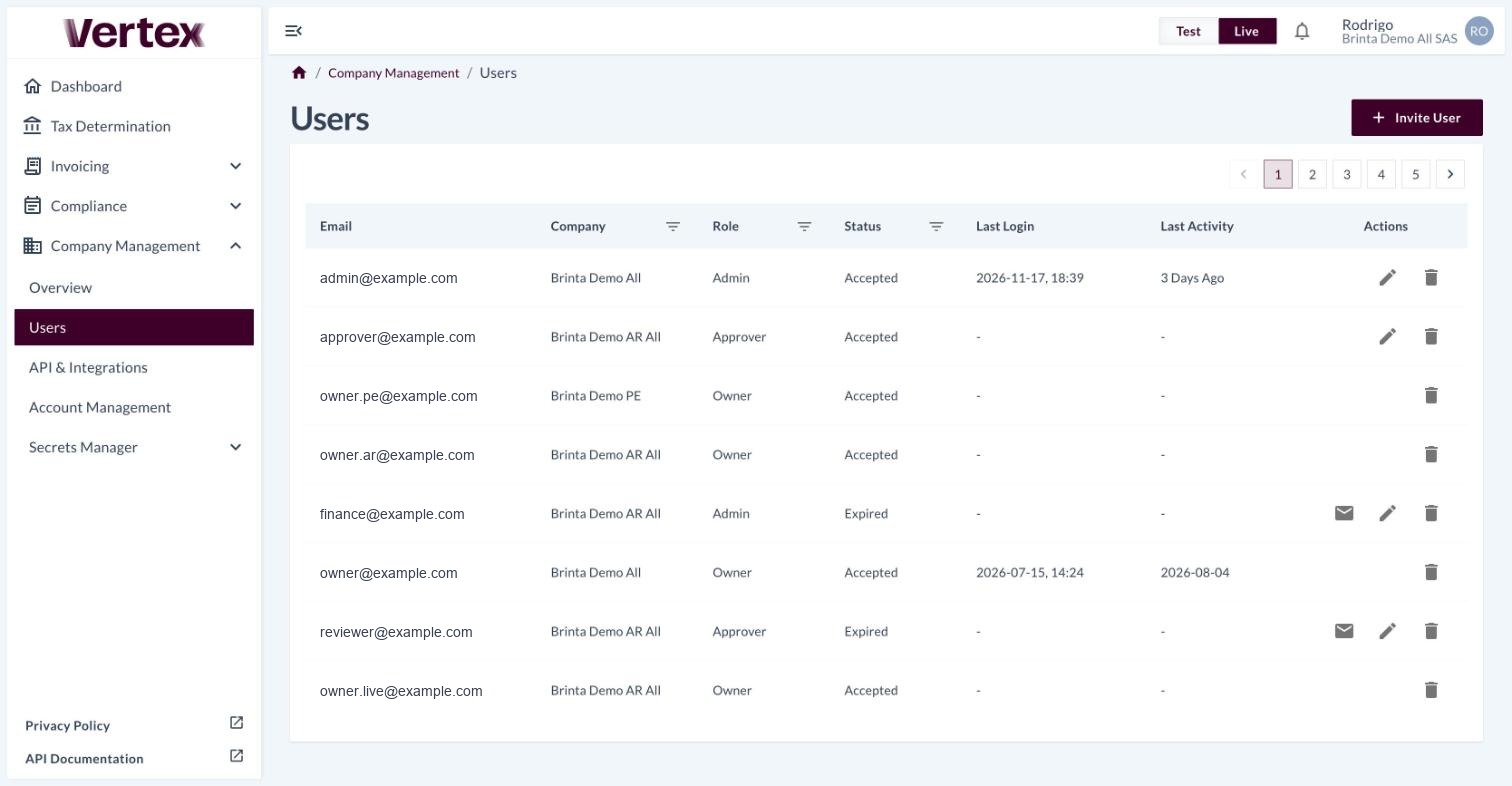
The users list
One row per person with Dashboard access to this company structure.
| Column | Description |
|---|---|
| The user's email address | |
| Company | The company the user belongs to |
| Role | The user's role. See Roles & Permissions |
| Status | Accepted when the user joined, Expired when the invitation was not accepted in time |
| Last Login | Date and time of the last login |
| Last Activity | When the user last did something in the Dashboard |
You can filter by Company, Role and Status from the column headers.
Invite a user
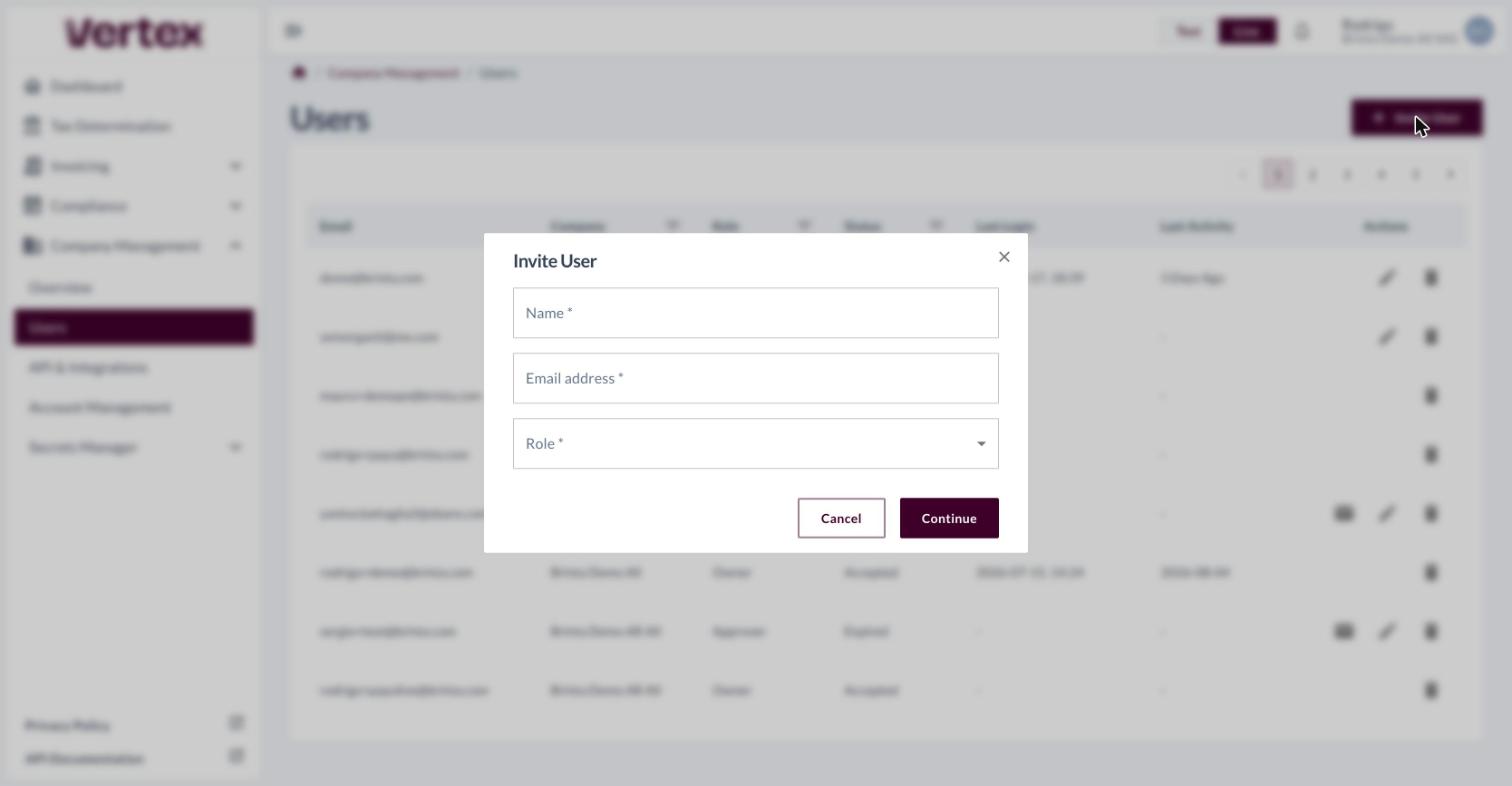
- Click Invite User.
- Enter the person's Name and Email address.
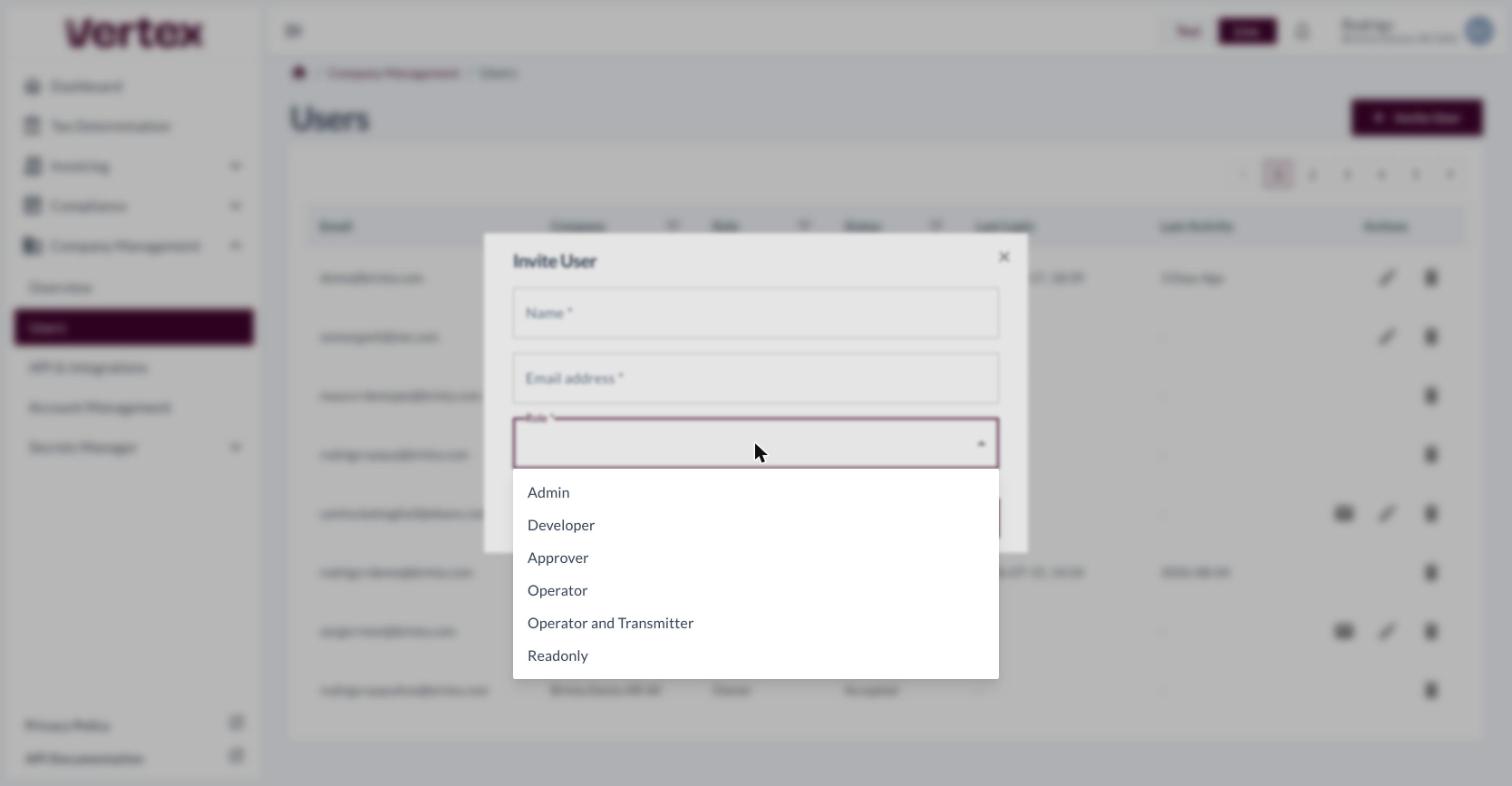
- Choose their Role: Admin, Developer, Approver, Operator, Operator and Transmitter, or Readonly.
- Click Continue.
Manage a user
Use the icons in the Actions column.
| Icon | Action |
|---|---|
| Envelope | Resend the invitation. Shown when the invitation expired |
| Pencil | Edit the user |
| Trash | Remove the user |
Who can do this
Only Owner and Admin can invite and manage users. Operator & Transmitter can view the list. Other roles have no access. See Roles & Permissions.
Updated about 5 hours ago
Did this page help you?