
Create a company
Add a new company, such as a subsidiary, a supplier or a buyer, to your structure.
Company Management › Overview › Create Company
Steps
Click Create Company at the top right of Overview. A panel opens with four steps.
| Step | What you complete |
|---|---|
| The company's basic information |
| The company's address |
| The company's tax IDs |
| Check everything and confirm |
Use Next to move forward and Cancel to leave without saving. The new company then appears under Linked companies.
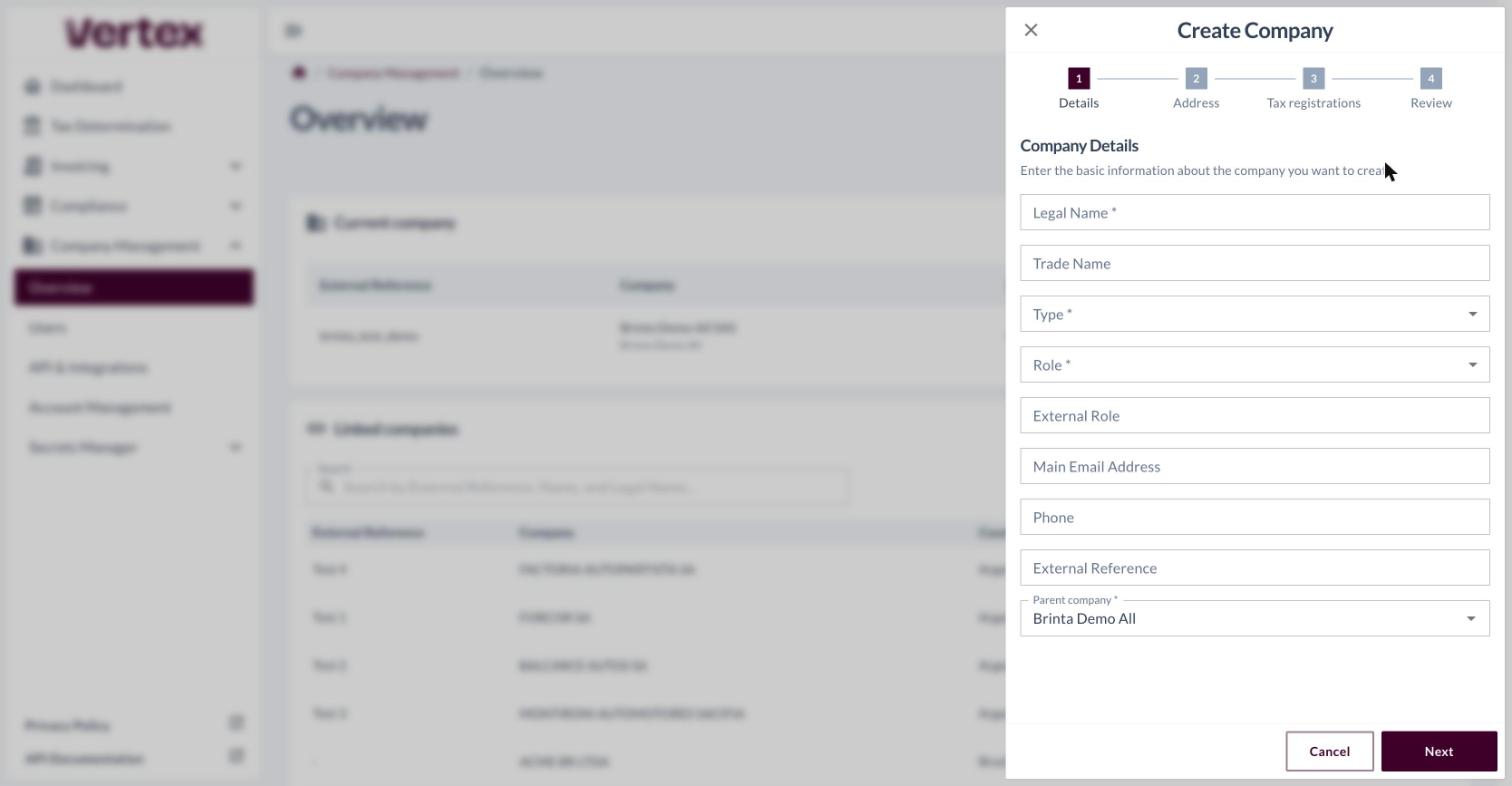
Step 1: Details
| Field | Required | Description |
|---|---|---|
| Legal Name | Yes | The registered name of the company |
| Trade Name | No | The commercial name, if different |
| Type | Yes | For example Business |
| Role | Yes | The company's role in your structure, for example Organization, Supplier or Buyer |
| External Role | No | A free-text role of your own |
| Main Email Address | No | |
| Phone | No | |
| External Reference | No | Your own identifier for the company. You can search by it later |
| Parent company | Yes | The company this one reports to. Defaults to the current company |
After creating it
- Review its tax registrations in the company's detail view. See Companies.
- If the company issues or files through Brinta, upload its certificate or credentials in Secrets Manager.
Create companies by API
You can also create companies programmatically with Create a Company.
Updated about 5 hours ago
Did this page help you?