
Direct Service Providers
Required Fields
| SAT Field | Description | Where to find it in Brinta |
|---|---|---|
| Type of service or operation | Category of the digital service provided | items[].category[] — see Items > Categories |
| Customer RFC (when requesting CFDI) | Buyer's tax ID — required when the customer requests an invoice | buyer.tax_registrations[].number where type IN (RFC, RFC personas físicas) — see Counterpart > Tax Reg. No. |
| Service price excluding VAT | Net amount before taxes | items[].amount — see Items > Amount |
| VAT | Value Added Tax applied | items[].taxes[].amount where taxes[].name IN ("VAT","IVA") and taxes[].type = "VAT" — see Taxes Breakdown > Amount |
| Final price including VAT | Total amount paid by the customer | items[].final_amount — see Items > Total and General Information > Final Amount |
| CFDI Number | Unique identifier of the electronic invoice | invoice_number - Complete with invoice_serie``invoice_number - invoice_key (folio fiscal (UUID)) |
| Recipient's payment method | How the customer paid | payment_method.type — see General Information > Type |
Dashboard Reference
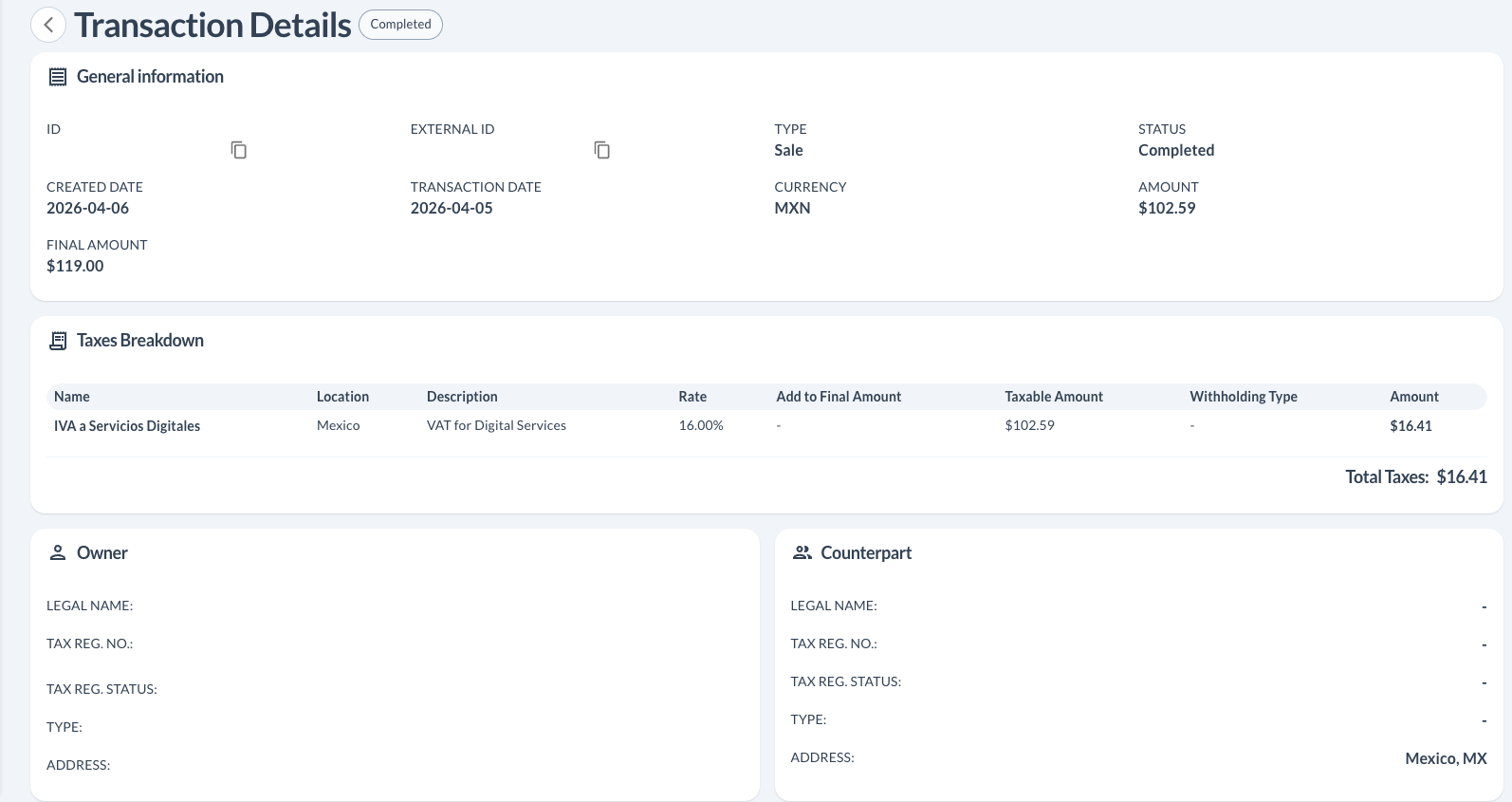
Transaction Details — General Information & Taxes Breakdown
The main transaction screen shows amounts, currency, final amount, and the full tax breakdown including VAT rate, taxable amount, and VAT amount.
Transaction Details — Items
The Items section shows each line item with its service category code, net amount, and total (final amount including taxes).

Notes
- CFDI fields (
invoice_number,invoice_serie,invoice_key) are returned by Brinta after invoice generation. - The Customer RFC is only required when the buyer explicitly requests a CFDI.
Updated 5 months ago
Did this page help you?