
Account Management
Maintain your company's chart of accounts and map it to the official charts of accounts each obligation requires.
Company Management › Account Management
Why the mapping matters
Several obligations require accounting data to be expressed in an official chart of accounts, for example, Brazil's ECD Plano de Contas Referencial, or COSIF for financial entities.
The mapping tells Brinta which official account each of your own accounts corresponds to. That is what lets the accounting entries loaded into a filing be associated with the correct tax concept.
The screen
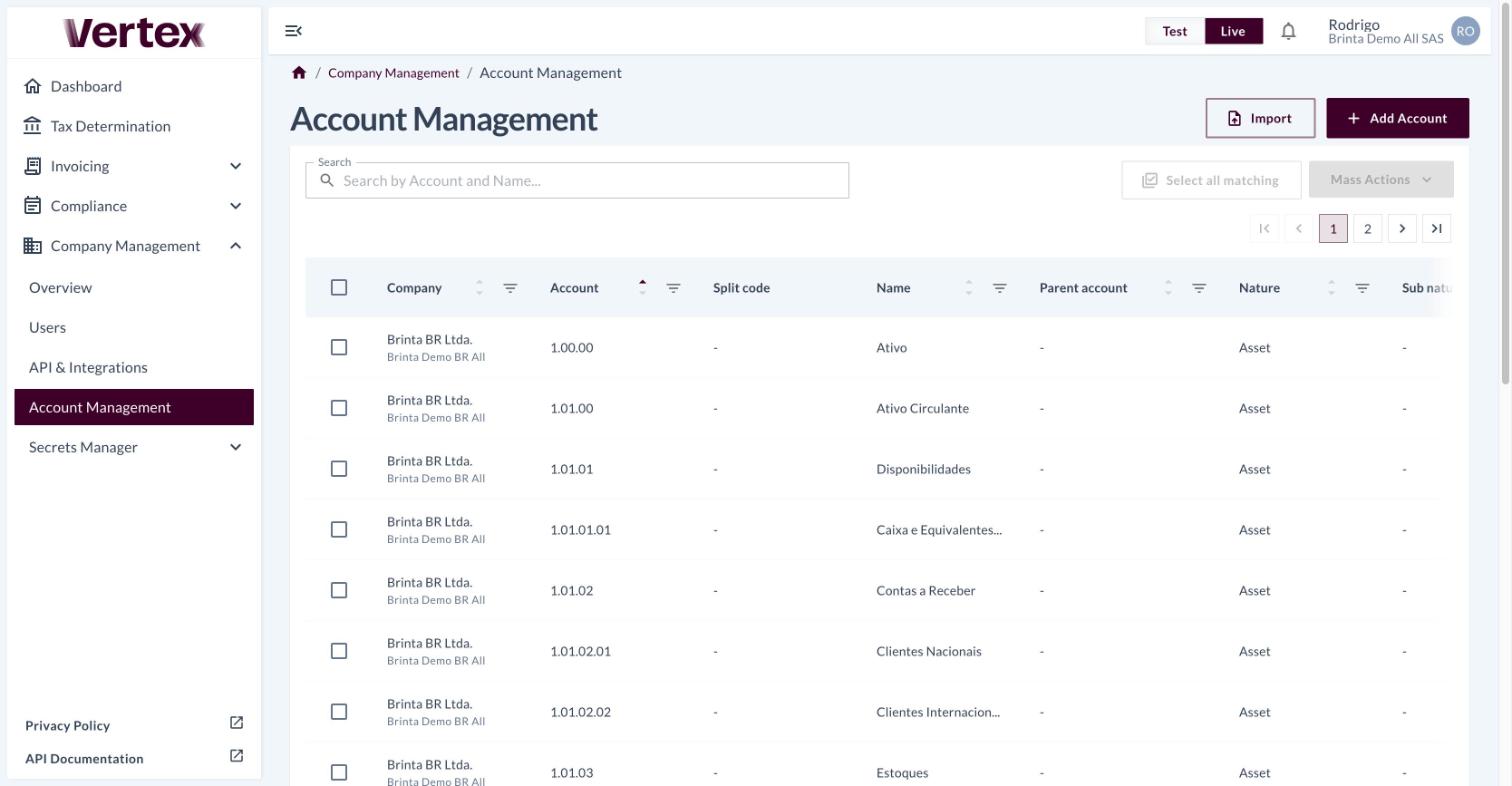
Chart of accounts (left)
One row per account.
| Column | Description |
|---|---|
| Company | The company the account belongs to |
| Account | The account code |
| Name | The account name |
| Split code | |
| Parent account | The account above it in the hierarchy |
| Nature | |
| Type | Synthetic or Analytical |
| Status | |
| Start Date |
Mapping Coverage (right)
For each official plan (DeRE, DESIF, COSIF and others), a progress bar shows how many accounts already have their correspondence defined.
Click Mapped Accounts or Unmapped Accounts to filter the table on the left to those accounts. This is the quickest way to see what is left to map.
Add an account
- Click Add Account, at the top right of the table.
- Choose the Company the account belongs to.
- Complete General Data.
- Optionally complete Tax Configuration, Account Mappings and Code Mappings.
- Click Create Account.
Edit an account
Click the pencil icon on the account's row to open the Edit Account panel. It has the same sections as the New Account form.
Account sections
General Data
The account's basic data: Code, Company, Name, alternative name and description, Account Type (Synthetic or Analytical), Status, Nature, Parent account (to build the hierarchy) and Split code.
Tax Configuration
The account's default tax treatment: Tax Type, Operation type, the tax situation code (CST) and the Rate.
Account Mappings
The core of the mapping. For each official plan (Group) you choose the official account it corresponds to (Mapped account). Add more than one correspondence if the account applies to several official plans.
Code Mappings
Specific indicators that some filings require on top of the general mapping. Each entry has a Type (for example cod_det or cod_comp) and a Value.
Manage accounts by API
You can also load and query the chart of accounts with the Accounts API.
For 🇧🇷 DeRE, see DeRE: chart of accounts via the Accounts API.
Who can do this
Owner, Admin, Operator, and Operator & Transmitter. See Roles & Permissions.
Updated about 5 hours ago