
Compliance Intro
What Compliance is, what you'll be able to do here, and how it connects with Invoicing and Tax Determination. This is the starting point.
Every country in LATAM has its own tax rules, forms, and deadlines. Compliance is the Brinta module that turns that complexity into a single process: generating, validating, and filing your tax returns, with full visibility into the status of each one.
What is Compliance?
Compliance automates the generation, validation, and submission of your tax obligations to the relevant authorities, and gives you a dashboard showing the status of each one and its upcoming deadlines.
- Automatically generates and submits the tax return for each obligation.
- Reconciles data between tax authorities, your systems (ERP), and your internal reports.
- Shows you in real time what's up to date, what's missing, and what's coming due.
What will you be able to do from here?
This is the first in a series of guides. The following ones go into detail on each of these parts — here's the big picture.
- See at a glance which returns are pending and which you've already filed.
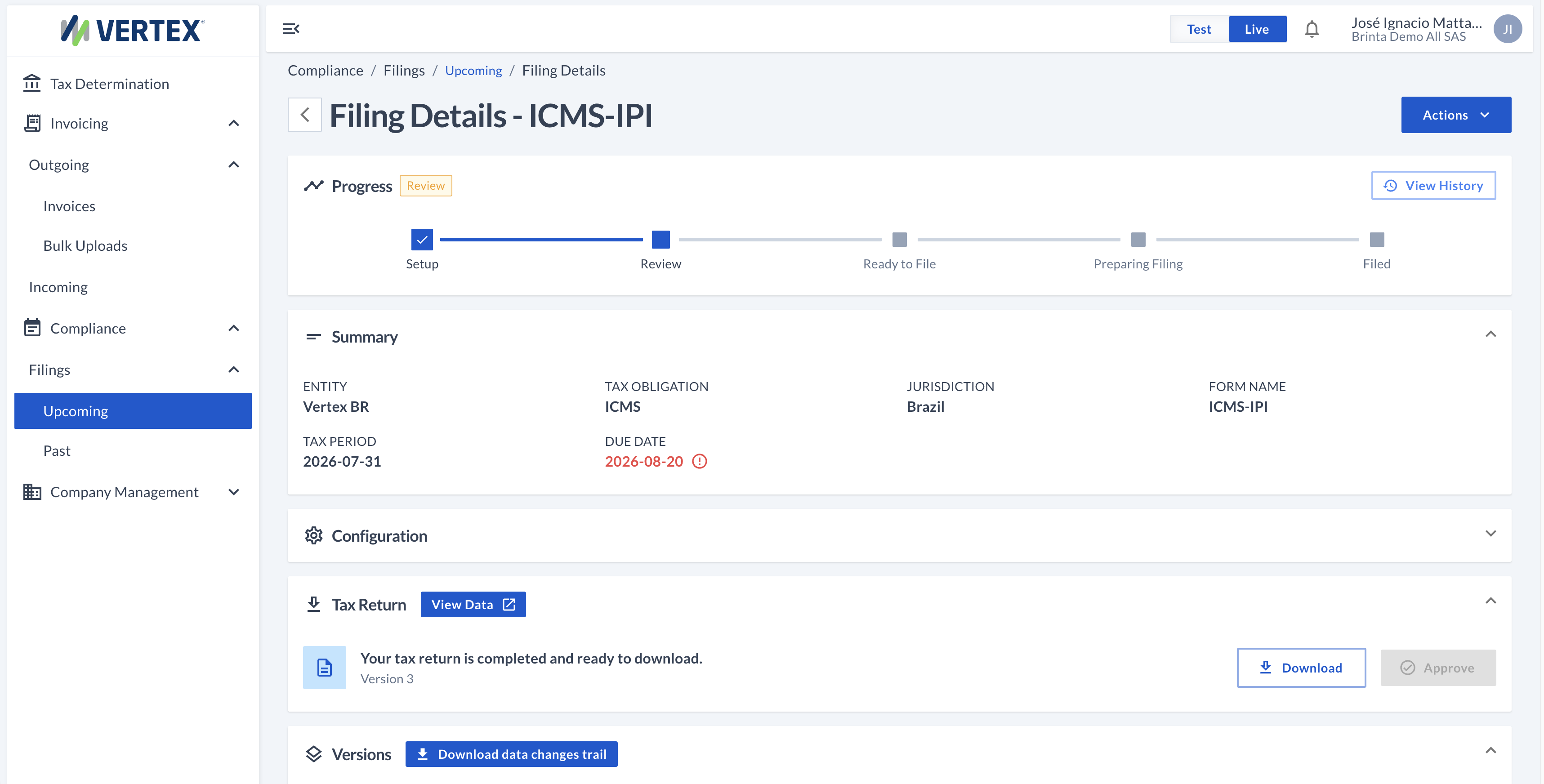
- Understand what stage each one is at, and what you can do at each stage.
- Upload and manage the data that feeds each return.
- Act on several returns at once, instead of one by one.
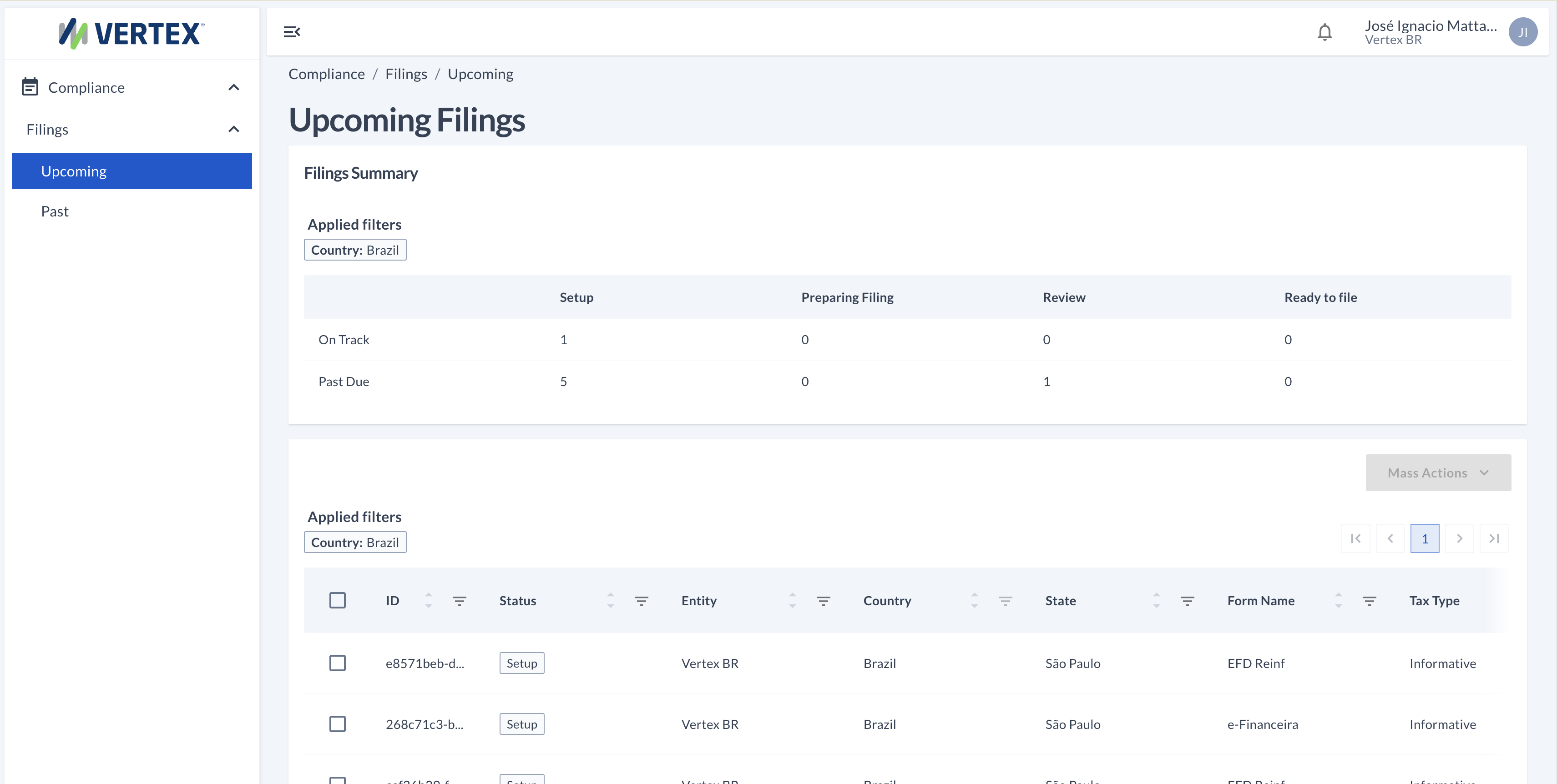
This is what Compliance looks like from the inside
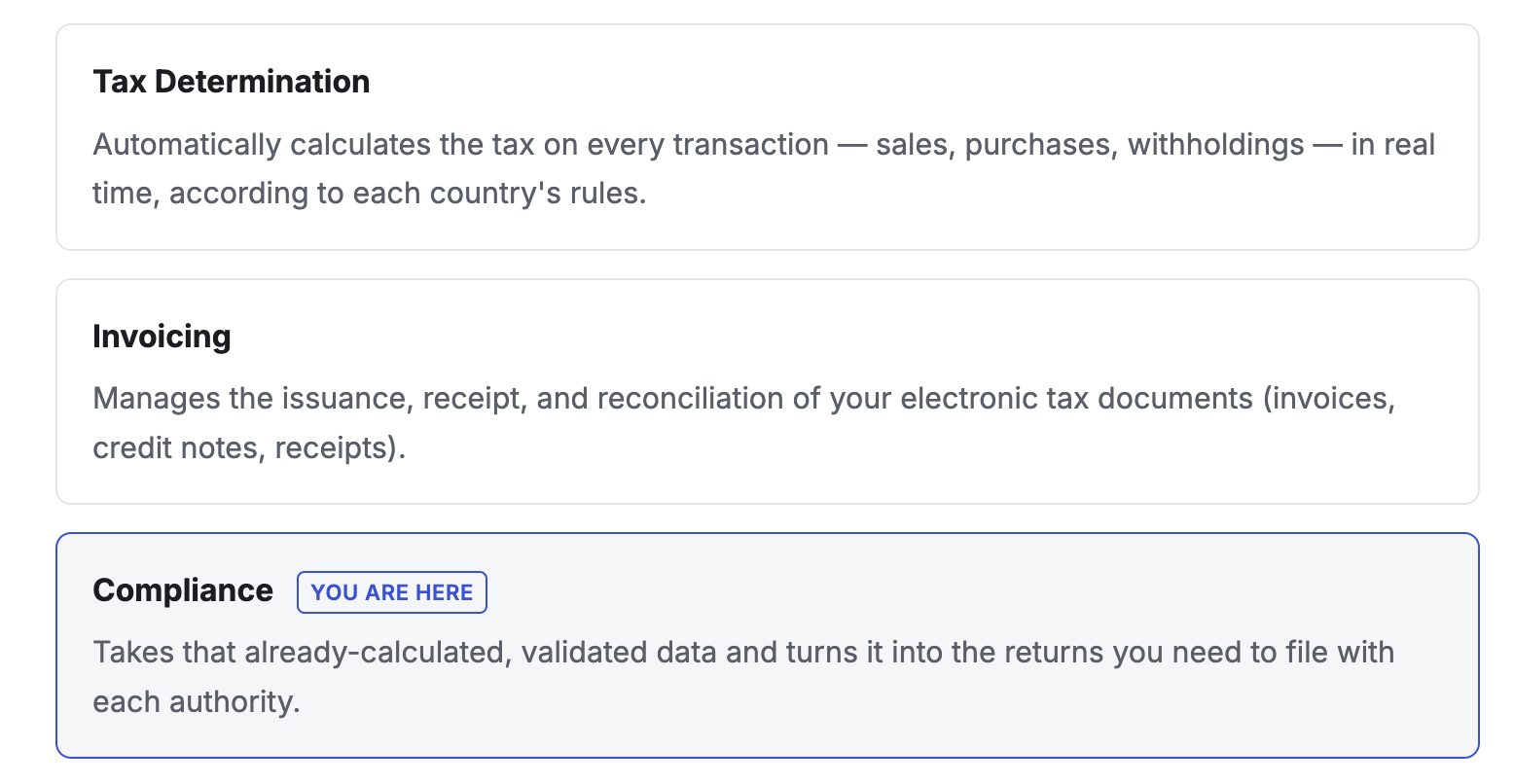
How it connects with the rest of Brinta?
Compliance lives alongside two other products in the same dashboard, and all three share data with each other — no need to load the same information twice.
FAQs
Do I need to load the same data into Compliance, Invoicing, and Tax Determination?
No. All three products share information within the same platform, so whatever you've already calculated or invoiced is available to Compliance without loading it again.
Which countries does Compliance support?
Today it covers Latin America — Brazil, Mexico, Colombia, Peru, Chile, Argentina, Uruguay, and more — with each country's rules already built in.
Updated about 1 month ago