
Companies
See which companies are connected to your structure and review or edit each one's data.
Company Management › Overview
Current company and linked companies
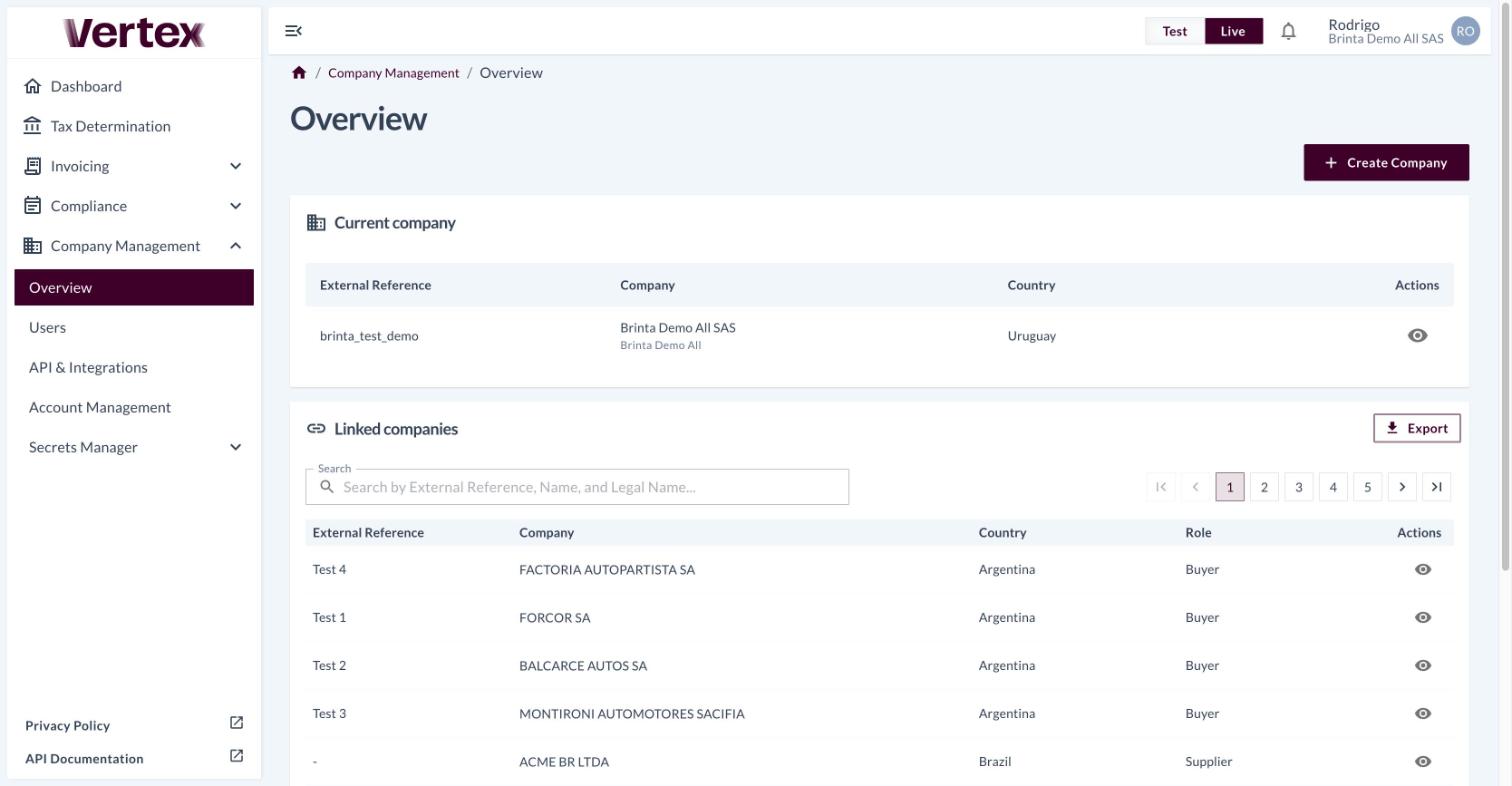
At the top you see the Current company: the root company you are operating from. Below it, Linked companies lists every company linked to it, with its External Reference, Country and Role (for example Organization, Supplier or Buyer). Search by external reference, name or legal name, and use Export to download the list.
The Create Company button adds a new one. See Create a company.
A company's detail view
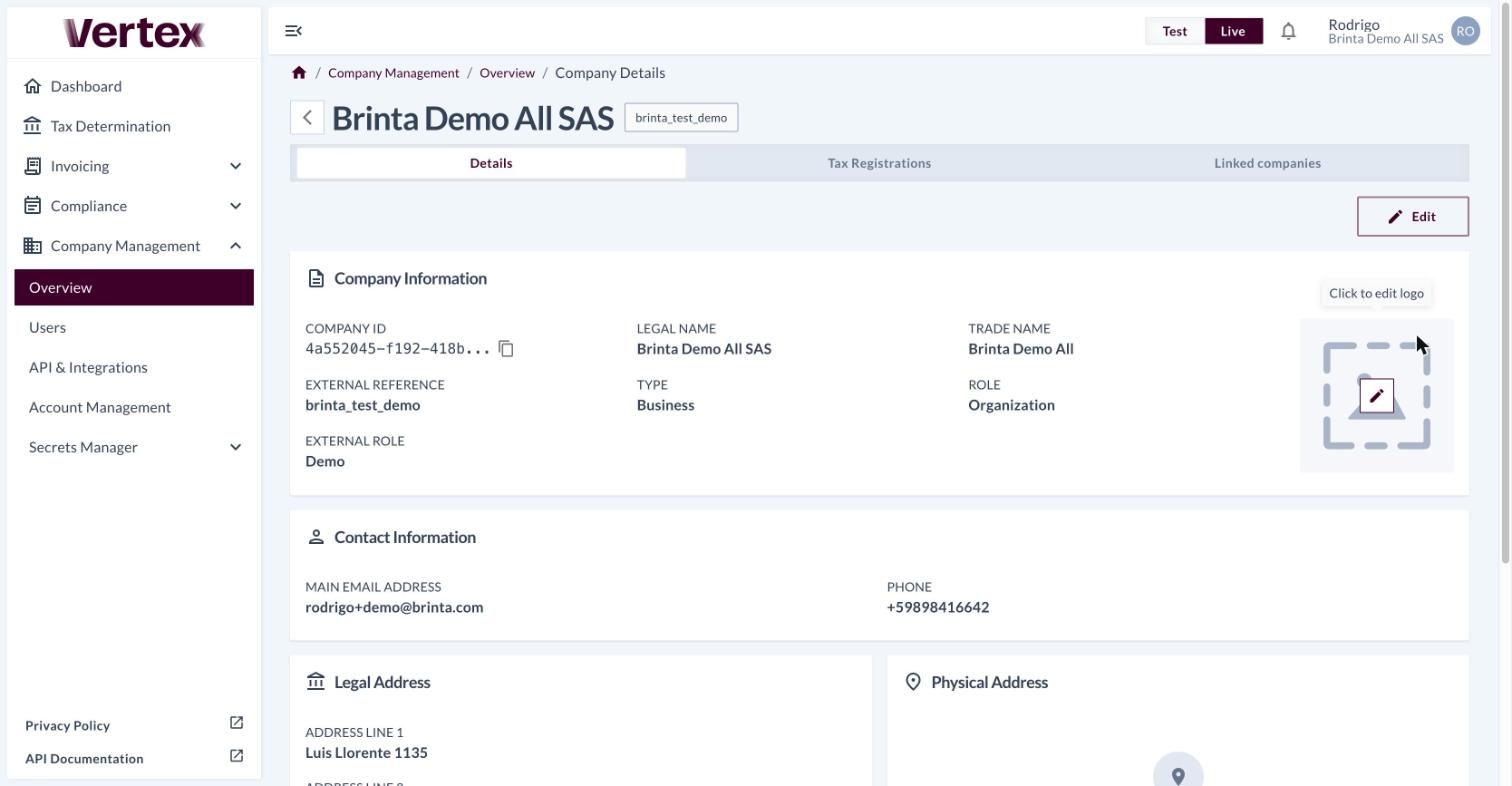
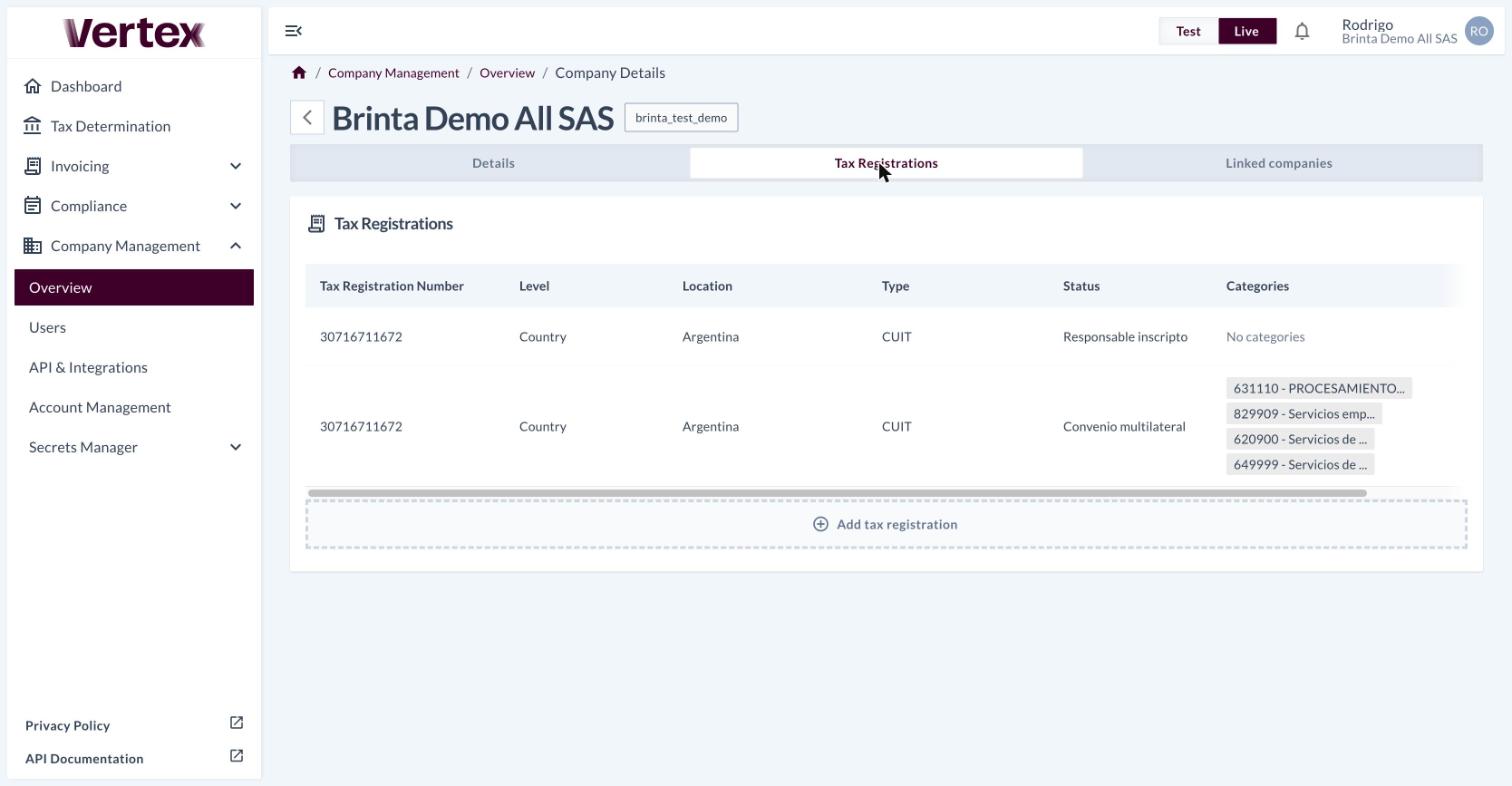
The eye icon on any row opens that company's detail view. It has three tabs.
| Tab | What it shows |
|---|---|
| Details | Company Information (Company ID, Legal Name, Trade Name, External Reference, Type, Role, External Role), Contact Information, Legal Address and Physical Address, grouped into cards. You can also set the company's logo |
| Tax Registrations | The company's tax registrations: Tax Registration Number, Level, Location, Type (for example CUIT in Argentina or CNPJ in Brazil), Status and Categories. Add tax registration adds a new one |
| Linked companies | The Parent company this one reports to, and its own linked subsidiaries |
Edit a company
- Open the company's detail view with the eye icon.
- In Details, click Edit.
- Correct any data: legal name, contact, addresses. You can also add a physical address if it is missing.
- Save your changes.
Who can do this
Owner, Admin, Developer, Operator and Operator & Transmitter can manage companies. Approver and Read-only have no access. See Roles & Permissions.
Updated about 5 hours ago
Did this page help you?