
Credentials
Store the credentials Brinta uses to connect to a provider, such as a tax authority, for a company.
Company Management › Secrets Manager › Credentials
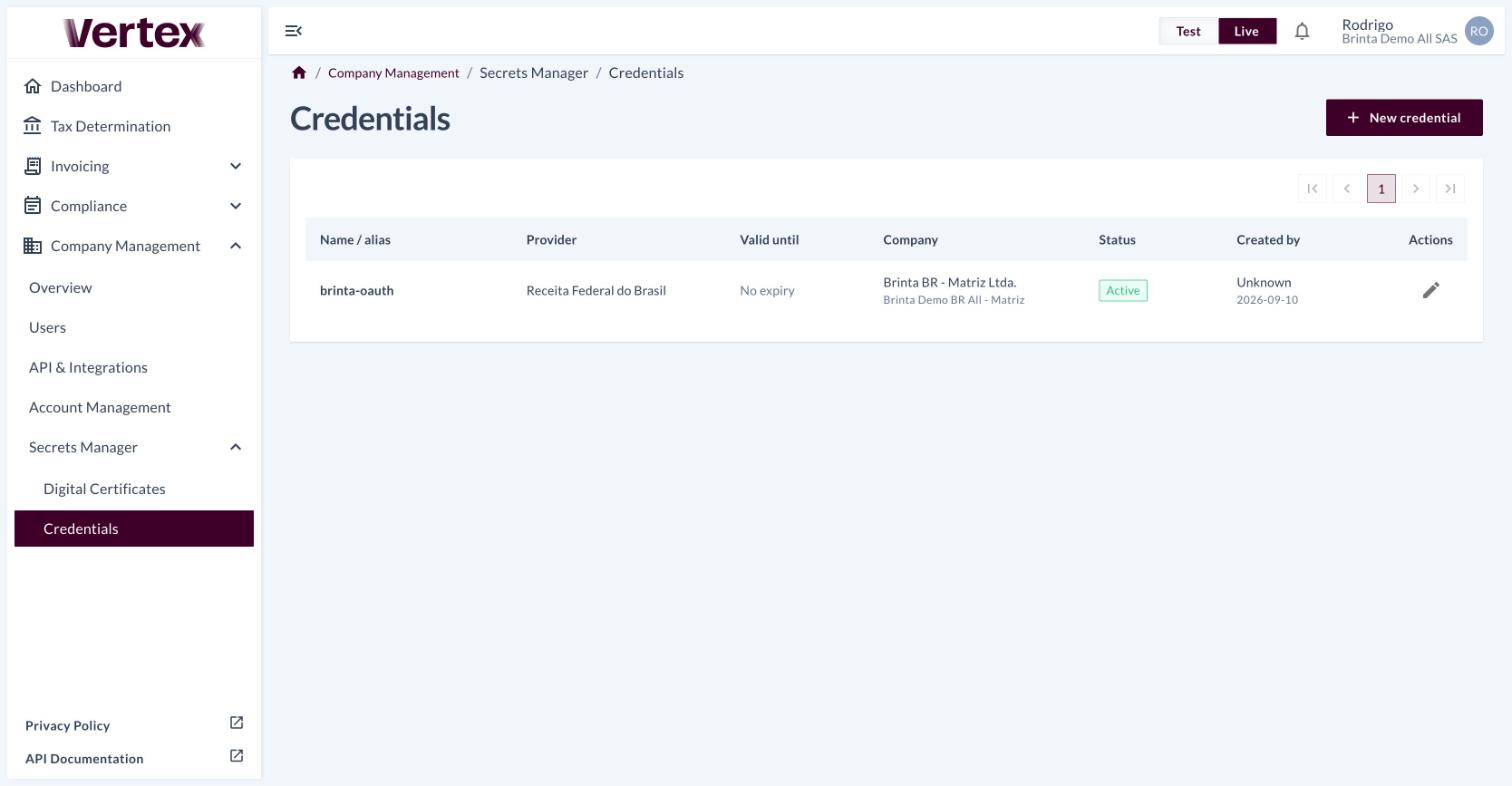
The credentials list
| Column | Description |
|---|---|
| Name / alias | The name you gave the credential |
| Provider | The system the credential is for, for example Receita Federal do Brasil |
| Valid until | Expiration date, or No expiry |
| Company | The company the credential belongs to |
| Status | For example Active |
| Created by | Who created it, and when |
The pencil icon edits a credential.
Add a credential
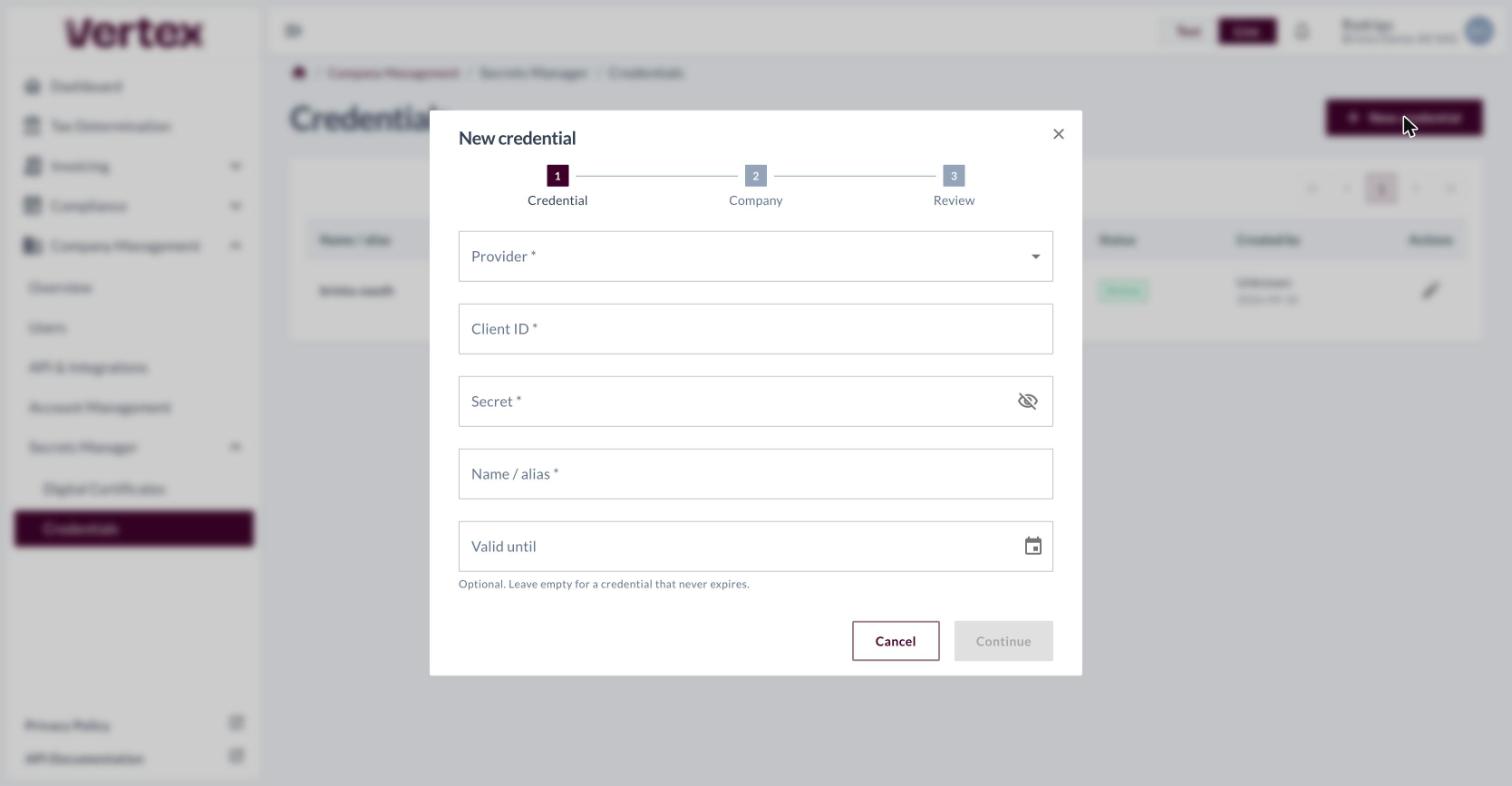
Click New credential. The form has three steps.
| Step | What you do |
|---|---|
| Enter the credential's data, then click Continue |
| Choose the company the credential belongs to |
| Check everything and confirm |
Fields in step 1:
| Field | Required | Description |
|---|---|---|
| Provider | Yes | The system the credential is for |
| Client ID | Yes | The identifier the provider gave you |
| Secret | Yes | The secret the provider gave you. Hidden while you type |
| Name / alias | Yes | A name to recognize the credential in the list |
| Valid until | No | Leave empty for a credential that never expires |
Who can do this
Owner, Admin and Operator & Transmitter.
Updated about 5 hours ago
Did this page help you?