
[BR] Cancelling Invoices
🇧🇷 Cancelling invoices — Brazil
How to get there
- Open the invoice's detail view (
Invoices > Invoice Details). - Click Actions ⚙️.
- Click Cancel Invoice.
- In the Cancel Invoice modal, choose the Cancellation Reason.
🏷️ Cancellation reasons
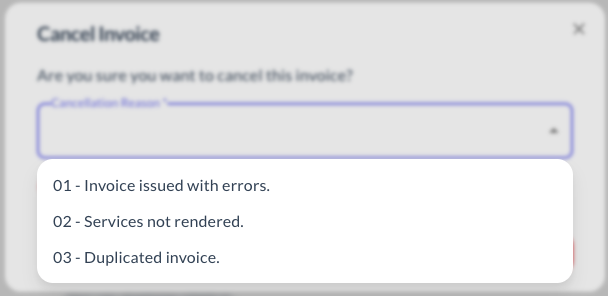
| Code | Reason |
|---|---|
| 01 | Invoice issued with errors. |
| 02 | Services not rendered. |
| 03 | Duplicated invoice. |
Updated 4 days ago
Did this page help you?